Bakery Website Examples: 6 Sites Worth Copying
In this article
A useful bakery website answers practical questions before someone leaves home: what is available, when you open, where they can collect and whether they need to order ahead.
These six independent bakery websites handle those jobs in different ways. Menus and hours can change, so check each live site before copying its details.
Key takeaways
- The best bakery website examples put today’s products, opening hours and ordering instructions where customers can find them quickly.
- Explain preorder lead times, pickup areas and delivery windows before customers reach checkout.
- Treat closures, pop-ups and changing stock as normal information that should be easy to update.
Six bakery website examples
Zingerman’s Bakehouse
Zingerman’s Bakehouse places its address, telephone number and daily hours together in the header. A customer can check the essentials without searching through a contact page.
The page also shows today’s specials, online ordering and a timed schedule of freshly baked breads. That schedule is particularly useful for products that appear at different points in the day.
Copy the information order: location and hours first, today’s offer second, detailed product timing after that. You do not need a large menu at the top if a short daily selection answers the immediate question.
Noe Valley Bakery
Noe Valley Bakery uses a prominent online-ordering message that tells customers they can choose pickup or local delivery. Seasonal products include prices, so visitors can decide before entering the ordering process.
The website also gives complete weekday and weekend opening hours for both locations. This avoids the common mistake of publishing one general timetable that leaves customers guessing which branch it covers.
If you have several shops, repeat the full address and hours for each one. Do not make customers compare a locations page with a separate opening-hours page.
Elephantine Bakery
Elephantine Bakery separates its city-specific menu into pastries, bread, breakfast and lunch. These familiar labels make a varied offer easier to scan than one long product list.
The site then gives options for pickup, delivery and catering alongside opening hours, address and telephone details. It supports both the person choosing lunch and the person arranging food for a group.
Use categories based on how customers shop, not how you organise production. If catering is important, give it a clear route rather than hiding it among ordinary menu items.
Full Belly Bakery
Full Belly Bakery makes its process explicit through a “How It Works” section. It explains preorder lead time, walk-in availability and the choices customers will see at checkout.
Those choices cover pickup, local delivery and shipping. Setting them out before checkout reduces uncertainty about where an order can go and when it might be available.
A similar section can be only three or four steps. State how far ahead to order, what may be available for walk-ins and which fulfilment choices apply.
Lemon Bakery
Lemon Bakery leads with a seasonal closure notice instead of leaving outdated opening information visible. The notice directs customers towards current stockists and pop-ups.
Below it, the site gives precise preorder notice as well as pickup and delivery windows. This is a strong model for bakeries that operate irregularly, attend markets or pause direct sales at certain times of year.
Do not bury a closure in social media alone. Put the current status on your homepage and give customers a useful next action, such as finding a stockist or checking the next pop-up.
Crescent Bakes
Crescent Bakes immediately says that it is an online bakery. It names the breads available and states which neighbourhoods have pickup and which boroughs receive delivery.
That opening removes three possible misunderstandings: whether there is a walk-in shop, what the bakery sells and where customers can receive an order.
Copy the clarity, especially if your business does not follow a standard shop model. A line such as “Online sourdough bakery serving Astoria, with Saturday pickup in Ditmars and delivery across Queens” can do more work than a vague welcome message.
What to copy for your bakery website
The examples use different designs, but their most useful ideas are operational rather than decorative.
- Say if you run a walk-in shop, preorder bakery or online-only business.
- Show today’s or this week’s offer near the top.
- Display prices where they help customers make a decision.
- Give complete opening hours for every location.
- Explain preorder notice and ordering deadlines.
- Name pickup points, delivery areas and collection windows.
- Put temporary closures or pop-up dates on the homepage.
- Make the address, directions and telephone number easy to tap on a phone.
- Test every order, enquiry and directions link before publishing.
For more detail on arranging menus, photos and local information, use the practical structure in How to Make a Café Website That Gets Visits. The restaurant website walkthrough also covers the wider build process.
How to build a bakery website from these ideas
A designer is useful when you need custom branding and photography direction. A general-purpose builder suits you if you want detailed control and are willing to spend more time setting up pages. An AI builder is a practical route when you need a small, maintainable site quickly.
Here is one way to build it with Cloudeel:
-
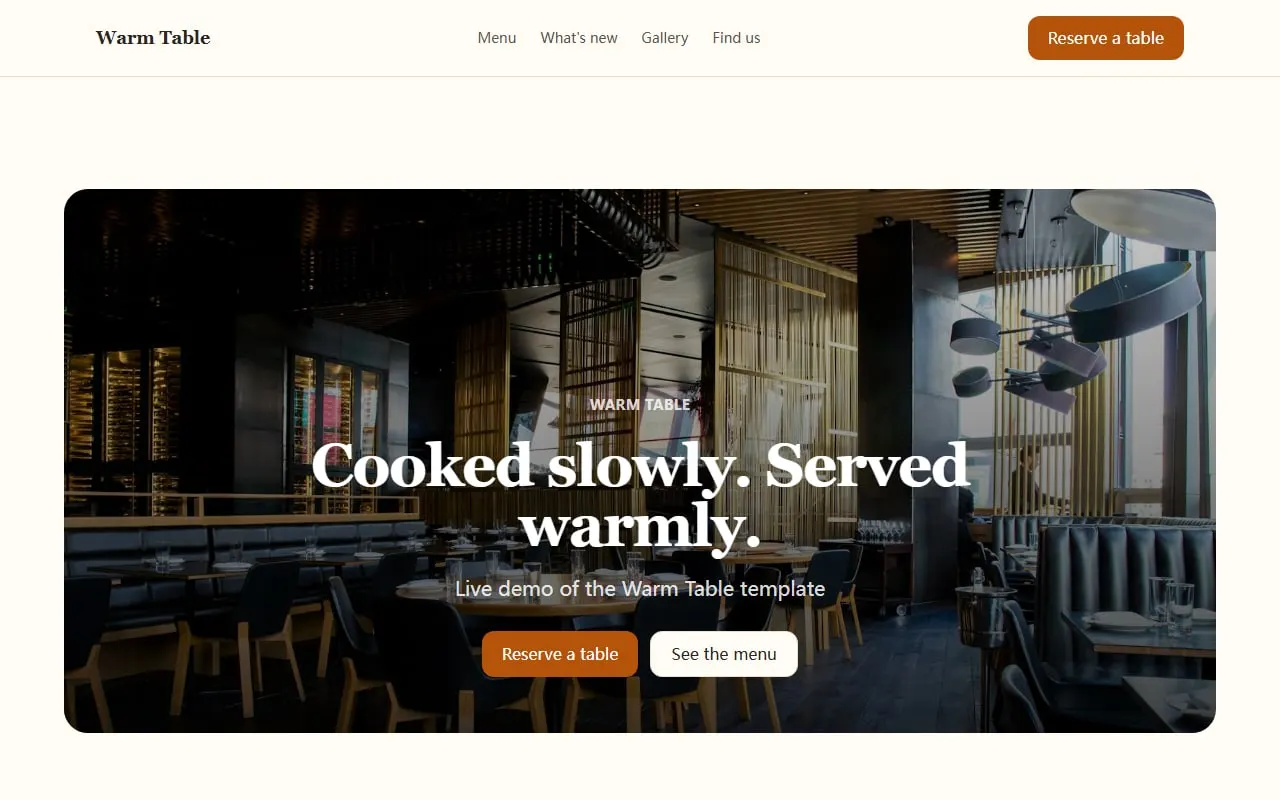
Start with the right structure. Choose the Warm Table bakery-friendly template, which includes space for featured items, updates, images, reviews, opening information and contact details.
-
Describe the actual customer journey. Give Cloudeel your bakery type, service area and the information people need before visiting or ordering.
Create a bakery website for Maple & Rye, an independent bakery in Leeds.
Customers need today’s bakes, prices, opening hours, directions and preorder details.
Use sections for a short menu, weekly updates, contact details and an enquiry form.
Keep the tone warm and plain, with cream, brown and muted red colours.
Above the fold, show that today’s sourdough is ready from 8 am and give directions.-
Correct the first draft. Click text to edit it manually, or describe a focused change such as “Move today’s bakes above the gallery” or “Add our Saturday pickup window beside the address.” Cloudeel shows the proposed difference, and you can undo an applied edit.
-
Publish and maintain it. Cloudeel publishes the static site to a global CDN with HTTPS. Paid plans can connect a custom domain, while the updates section lets you post a changed menu, closure or pop-up without setting up a blog.
Cloudeel contact forms can email enquiries to you within seconds, with spam filtering and CSV export. It does not provide e-commerce or a booking engine, so connect your buttons to the ordering service you already use.
Common bakery website mistakes
Avoid opening with a large photograph and no useful text. On a phone, customers should not need to scroll past several images to learn whether you are open.
Do not publish “open daily” if your hours differ by day or location. Write each day’s hours, including collection-only periods.
Keep old specials off the homepage. If products change frequently, use a small current selection and an updates section rather than maintaining a long permanent menu.
Finally, distinguish enquiries from orders. Label buttons clearly as Order for pickup, Ask about catering or Get directions so customers know what happens next.
Frequently asked questions
What should a bakery website include?
Include your current products, prices where practical, opening hours, address, directions and contact details. If you accept preorders, also state the deadline, pickup window and delivery area.
Does a small bakery need online ordering?
Not always. A simple menu, telephone number and enquiry form may be enough, but high-volume preorders are better handled by a dedicated ordering service linked from your website.
How often should I update a bakery website?
Update it whenever hours, availability, pickup instructions or seasonal closures change. A short weekly update is often more useful than a large menu that becomes inaccurate.
Can I build a bakery website without a designer?
Yes, if your site mainly needs products, hours, directions and contact options. Hire a designer when you need original branding, custom illustrations or a more complex customer journey.
Start adapting the Warm Table restaurant template with your real menu, hours and collection details.