6 Café Website Examples Worth Copying
In this article
A useful café website answers practical questions quickly: Are you open, where are you, what do you serve, and how can someone book or call?
These six real café website examples handle those jobs clearly. Copy the decisions that reduce uncertainty rather than trying to copy an entire design.
Key takeaways
- The best café website examples make hours, location, menus and contact options easy to find on a phone.
- Group menus by the choices customers make, such as breakfast, lunch, drinks and children’s food.
- Put unusual details, including kitchen closing times and private-event capacity, where visitors cannot miss them.
Six café website examples to learn from
1. Beans & Blues Café, Muswell Hill
Beans & Blues Café places “Open Today 7am–8pm” beside its location. Visitors can immediately decide whether to come and where they need to go.
The site then presents menu cards with starting prices and a prominent booking phone number. This combination works well for mobile visitors: availability, cost and the next action are all clear without a long search.
Copy the structure if your menu changes frequently. Showing representative starting prices can still help customers judge whether your café suits their budget.
2. Elixis, South Kensington
Elixis lists weekday and weekend opening hours together. More importantly, it explains that the kitchen closes 30 minutes before the café.
That small detail prevents a common disappointment: arriving while the doors are open but food service has finished. If your kitchen, takeaway counter or brunch menu has different hours from the premises, state both times explicitly.
Use plain wording such as “Café open until 5pm; kitchen closes at 4.30pm.” Do not bury the distinction in an FAQ if it affects daily visits.
3. mi&more, Catford
mi&more condenses breakfast, lunch, happy hour and late-opening times into one line, followed by a direct call link.
This is useful when a venue changes character during the day. Customers can scan the service periods instead of comparing several schedules, then call immediately if they need confirmation.
Copy this approach if you have distinct breakfast, lunch or evening offers. Keep the summary short, but make sure each label corresponds to a real service period.
4. Café Foy, Cambridge
Café Foy promotes private events for up to 60 guests. It also supplies direct email and phone links for enquiries.
Stating the capacity helps visitors qualify themselves before making contact. A group of 20 knows the venue may work, while someone planning a much larger event can look elsewhere without wasting time.
If private hire matters to your business, include your maximum capacity, the types of event you accept and one clear enquiry route. Avoid a vague “Events available” message that forces customers to ask for basic details.
5. The Grand Porter, Detroit
The Grand Porter uses its FAQ to explain that the full breakfast and lunch menu is available throughout its daily 8am–3pm opening hours.
This answers an important question for customers who want breakfast later in the day. It also avoids making visitors infer serving times from separate breakfast and lunch headings.
Copy this by addressing service rules directly: all-day breakfast, last food orders, weekend-only dishes or limited afternoon menus. A short answer is more useful than promotional copy.
6. Eat Real on Main, Newhall
Eat Real on Main divides its menus into breakfast, lunch, dinner, kids, alcoholic drinks, juices and coffee.
These categories reflect what visitors are trying to find. Someone checking children’s options or coffee choices can jump directly to the relevant offering instead of reading one long menu.
Use fewer categories if you have a short menu. The goal is quick scanning, not creating a separate page or tab for every handful of items.
What these café websites get right
The strongest pattern is specificity. “Open today until 8pm” is more useful than “See our opening hours”. “Private events for up to 60 guests” is more useful than “Available for hire”.
Your homepage should prioritise four pieces of information:
- Today’s opening hours, including different kitchen hours.
- Your address with a directions link.
- A menu organised around customer choices.
- A direct action such as calling, requesting a reservation or asking about an event.
Put these ahead of a long origin story. Customers who want to learn about your suppliers or history can read further down the page.
For a fuller page plan, follow the build sequence in How to Make a Café Website That Gets Visits. If you operate a larger food business, the structure in How to Make a Restaurant Website in an Afternoon covers similar decisions.
How to build a café website
You can hire a designer when you need a distinctive visual identity or connections to specialist systems. A general-purpose builder suits owners who want detailed control and are comfortable arranging every page themselves.
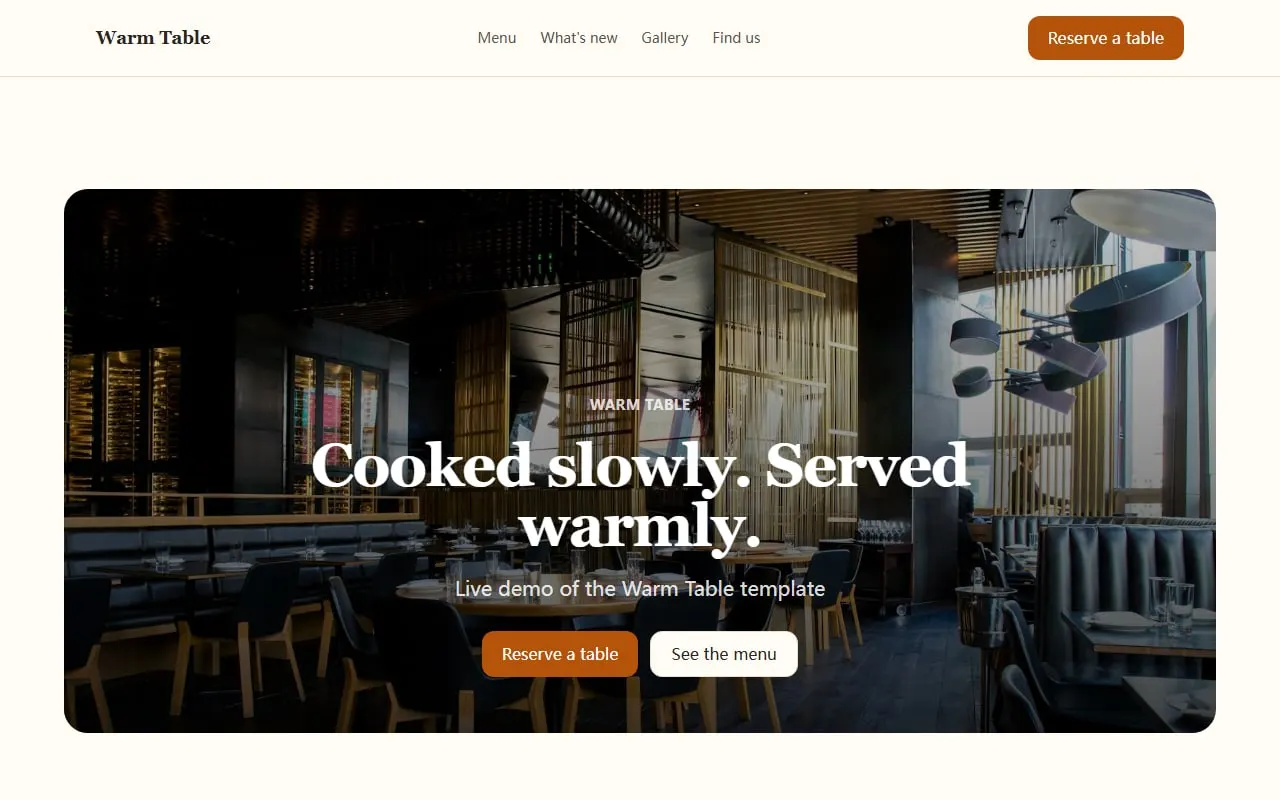
An AI builder is a practical third route when you need a small site quickly. Cloudeel’s Warm Table café and restaurant template includes space for menu items, weekly updates, a gallery, opening hours, directions and a reservation enquiry form.
1. Gather the facts first
Write down your address, phone number, opening hours, kitchen hours, menu categories and booking method. Confirm these details before choosing colours or photographs.
2. Create the first draft
Give Cloudeel a short, factual brief rather than asking for a “beautiful café website”. For example:
Create a website for Rosa’s Kitchen, an independent café in Bristol.
We serve breakfast, lunch, cakes and coffee for local residents and office workers.
Include a menu, weekly updates, opening hours, directions and a reservation enquiry form.
Use a warm, relaxed tone with short sentences.
Above the fold, show today’s hours, our location and buttons to call or get directions.
3. Check the mobile view
Make sure the menu remains readable and that telephone and directions links are easy to reach. Cloudeel includes phone, tablet and desktop previews, so check all three before publishing.
You can describe focused changes such as “Move the opening hours above the gallery” or “Add a note that the kitchen closes at 4.30pm.” Cloudeel shows the proposed change as a diff, and failed edits do not use AI credits.
4. Choose the right contact method
A reservation enquiry form can collect requests, but it is not a live booking engine. Cloudeel emails form submissions within seconds and lets you export them as CSV. Use a specialist booking service if customers need real-time table availability or instant confirmation.
Café website launch checklist
- Today’s opening hours are visible near the top.
- Kitchen closing times are stated separately where needed.
- The address opens in a directions app.
- The phone number is a direct call link.
- Menu categories match how customers order.
- Prices and dietary labels are current.
- Booking or event enquiries have one clear route.
- The menu is readable on a phone.
- Every form has been tested.
- Old seasonal notices have been removed or updated.
Frequently asked questions
What should a café website include?
Include opening hours, address, directions, menu, prices and a direct contact option. Add kitchen hours, booking details or private-hire capacity when they affect a customer’s decision.
Should a café menu be a page or a PDF?
A normal web page is usually easier to read on a phone and simpler to update. A PDF can be an additional download, but it should not be the only way to see what you serve.
Does a small café need online booking?
Not always. A direct call link or reservation enquiry form may be enough for a small venue, while busy cafés that confirm tables instantly need a dedicated booking system.
How often should a café website be updated?
Update it whenever hours, menus or contact details change. A lightweight weekly update is also useful for seasonal dishes, holiday hours and special events.
Start with the Warm Table café website template and replace its sample content with the details customers ask you for most often.