Make a Bakery Website With AI in an Afternoon
In this article
A bakery website needs to answer five things quickly: what you bake, what it costs, when you open, where customers can find you and how they can ask about a custom order.
Cloudeel can turn those details into a first draft, then let you adjust individual sections with plain instructions. You can publish the result without setting up hosting or writing code.
Key takeaways
- To make a bakery website with AI, give the builder specific details about your products, hours, location and enquiry process.
- Put today’s bakes, prices and opening hours near the top so customers do not have to search.
- Treat custom-cake forms as enquiries, not confirmed orders, unless you use a separate ordering and payment service.
How to make a bakery website with AI
1. Gather the details customers need
Write down the information you would give someone who called the bakery:
- Bakery name and location
- What you bake
- Opening hours
- Typical prices
- Pickup arrangements
- Phone number and email address
- Custom-cake notice period
- Instagram or other useful social links
You do not need polished marketing copy. Clear facts give the AI more useful material than phrases such as “quality baked goods for every occasion”.
If you need layout ideas first, study how other businesses present menus and contact details in these bakery website examples. Notice what is visible immediately and what can wait until further down the page.
2. Start with the Warm Table template
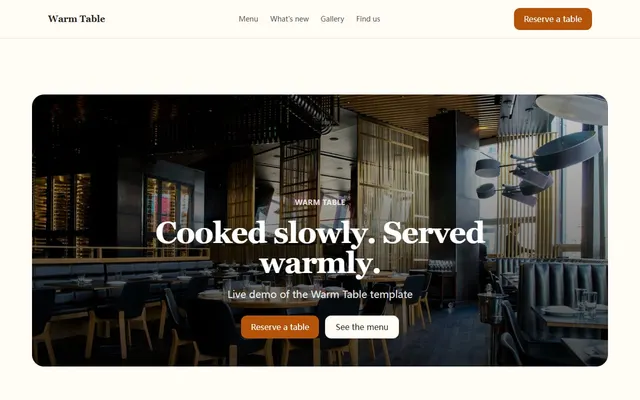
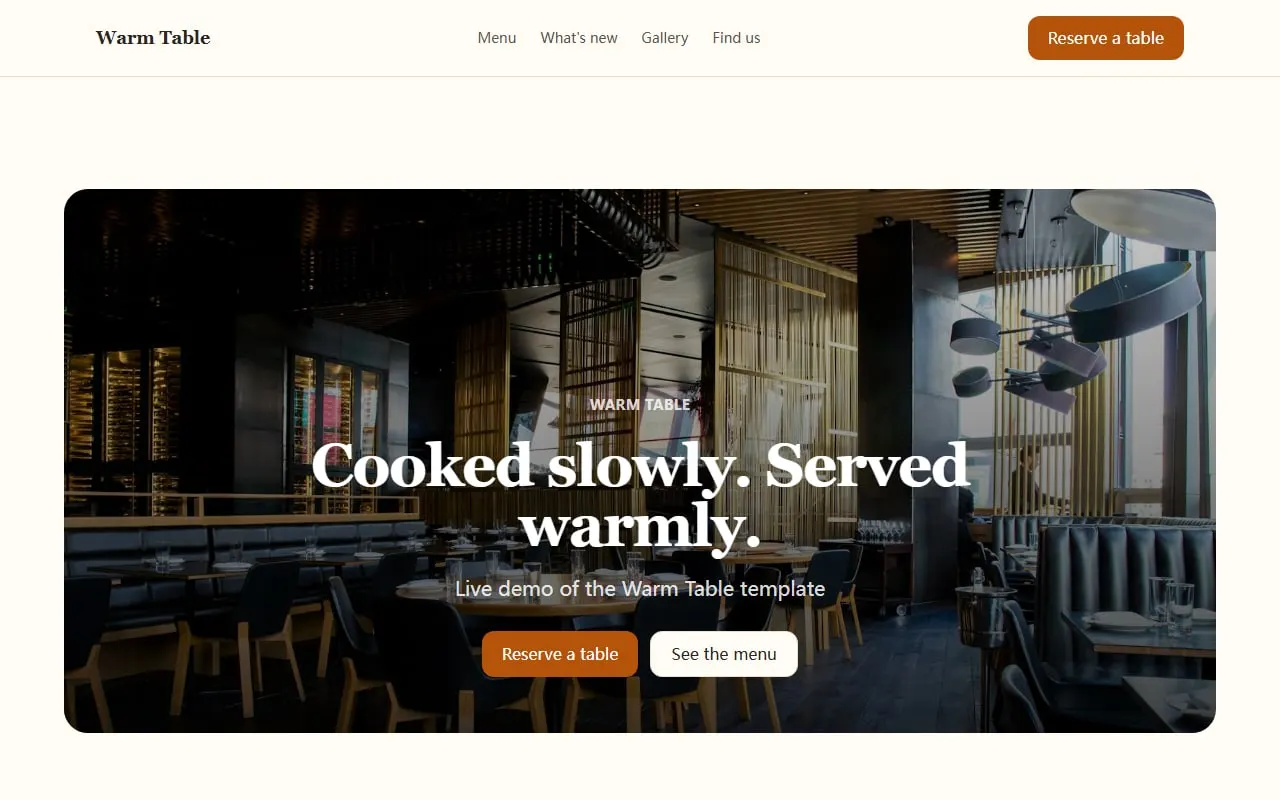
Open Cloudeel’s Warm Table bakery and restaurant template. It includes a large opening section, a priced menu, weekly updates, an image gallery, customer quotes, opening hours, directions and a separate form page.
Give the guided AI setup a concrete prompt like this:
Create a website for Flour & Finch, a neighbourhood bakery in York.
We bake sourdough, croissants, cinnamon buns and celebration cakes for local families and office teams.
Include today's bakes with prices, opening hours, pickup details, weekly specials and a custom-cake enquiry form.
Use a warm, plain-spoken tone with cream, brown and muted orange colours.
Above the fold, show that we open at 7:30 am and that fresh sourdough is available Tuesday to Saturday.
Replace every example with a real detail from your bakery. If your selection changes daily, say so rather than asking the AI to invent a fixed menu.
The first draft should give you a useful structure rather than a finished site. Expect a headline, product highlights, sample prices, a weekly update, photographs, location details and an enquiry form. Check every generated statement, especially ingredients, prices, opening hours and collection times.
3. Make the three edits that matter most
Cloudeel lets you describe a change to one section, review the proposed diff and undo it if needed. Start with the parts customers are most likely to use.
First, turn the general menu into today’s counter selection. Type:
“Rename this section Today’s Bakes. Add country sourdough at £4.50, almond croissants at £3.20, cinnamon buns at £3 and seeded rye at £5. Mark items as available while stocks last.”
Keep the list short enough to scan on a phone. If products change throughout the day, add a note asking customers to call before making a special journey.
Second, change the reservation form into a custom-order enquiry form:
“Change this into a custom-cake enquiry form. Ask for name, email, collection date, number of servings, flavour, dietary requirements and a short description. State that submitting the form does not confirm the order.”
Submissions are spam checked and emailed to you within seconds. You can also view them in the dashboard and export them as CSV. This is still an enquiry process: Cloudeel does not take payment or confirm availability automatically.
Third, use the updates section for specials:
“Post this week’s special: pear and hazelnut Danish, available Friday and Saturday from 8 am, £3.80 each.”
An updates section works well for seasonal loaves, holiday hours and market appearances. It is a lightweight list, not a full blog, so keep each item to a date, a clear title and one short paragraph.
4. Check the mobile view and contact route
Most customers will check your site while deciding where to stop. Use the phone preview and make sure the bakery name, location, opening time and main action appear without excessive scrolling.
Your main button could say “See Today’s Bakes”, “Ask About a Celebration Cake” or “Get Directions”. Avoid a vague label such as “Learn More”.
Click every phone, email, map and social link. Submit the form yourself and check that the message reaches the correct inbox. If you also run a café, the practical steps in this café website guide can help you organise seating, menus and visit information.
Manual text edits are free and unlimited. The Free plan also includes 20 AI edit credits each month, and an AI edit that fails validation or makes no visible change costs nothing.
Allow about 30 minutes to gather your details, an hour to build and edit the draft, then 30 minutes for mobile checks, form testing and publishing.
5. Publish and connect your domain
One click publishes the site to a Cloudeel subdomain with HTTPS on a global CDN. Open that address on your phone and ask someone unfamiliar with the bakery to find today’s products, Saturday’s hours and the custom-order form.
Paid sites can connect a custom domain. Use a short address based on the bakery name. After connecting it, open the custom domain on your phone and repeat the final checks there.
Publishing is not the final check. Search for the bakery name, address, phone number and opening hours across the page and correct any inconsistency before sharing the link.
Bakery website launch checklist
- The bakery name and town are visible at the top.
- Today’s bakes include current prices.
- Opening hours specify any closed days.
- The address links to directions.
- Phone and email links work on a mobile.
- Custom-order fields collect enough information for a reply.
- The form says an enquiry is not a confirmed order.
- Dietary claims and ingredient details have been checked.
- Every sample image and placeholder sentence has been replaced.
- A test form submission reaches the correct inbox.
- The desktop, tablet and phone previews are readable.
- The published site works on its final domain.
When Cloudeel is not the right fit
Cloudeel suits a bakery that needs a clear menu, local information, weekly specials and an enquiry form. It does not include online ordering, a shopping basket, checkout or customer payments.
Choose a service with commerce and ordering features if customers must select products, choose collection slots and pay through the website. Wix or Squarespace may fit that requirement, depending on their current plans and the ordering tools available where you operate.
For decisions beyond a bakery-specific setup, use the broader restaurant website guide to plan menus, directions, enquiries and third-party ordering links.
Frequently asked questions
Can AI make a bakery website from one prompt?
Yes, a detailed prompt can produce the structure and first draft. You still need to verify prices, hours, ingredients, photographs and contact details before publishing.
Does a bakery website need online ordering?
No. A small bakery can use its website to show current products, opening hours and contact details while taking custom requests through an enquiry form. Online ordering becomes useful when you can keep stock, pickup times and payments accurate.
What should appear at the top of a bakery website?
Show the bakery name, location, opening status and the main reason to visit. A line such as “Fresh sourdough and pastries in York, Tuesday to Saturday from 7:30 am” is more useful than a general welcome message.
Can I use my own domain with Cloudeel?
Yes, paid Cloudeel sites can connect a custom domain with automatic SSL. Free sites publish on a Cloudeel subdomain.
Start with the Warm Table template and replace its sample content with today’s real counter selection.