How to Build a Freelancer Portfolio That Gets You Hired
In this article
A portfolio website is not a gallery. It’s a filter: it should attract the clients you want, gently repel the ones you don’t, and make hiring you feel low-risk. Most freelancer sites fail at this because they try to show everything and say nothing about how to work with you.
Here’s what actually works, based on the sites that get freelancers hired rather than admired.
Start with one sentence about who you help
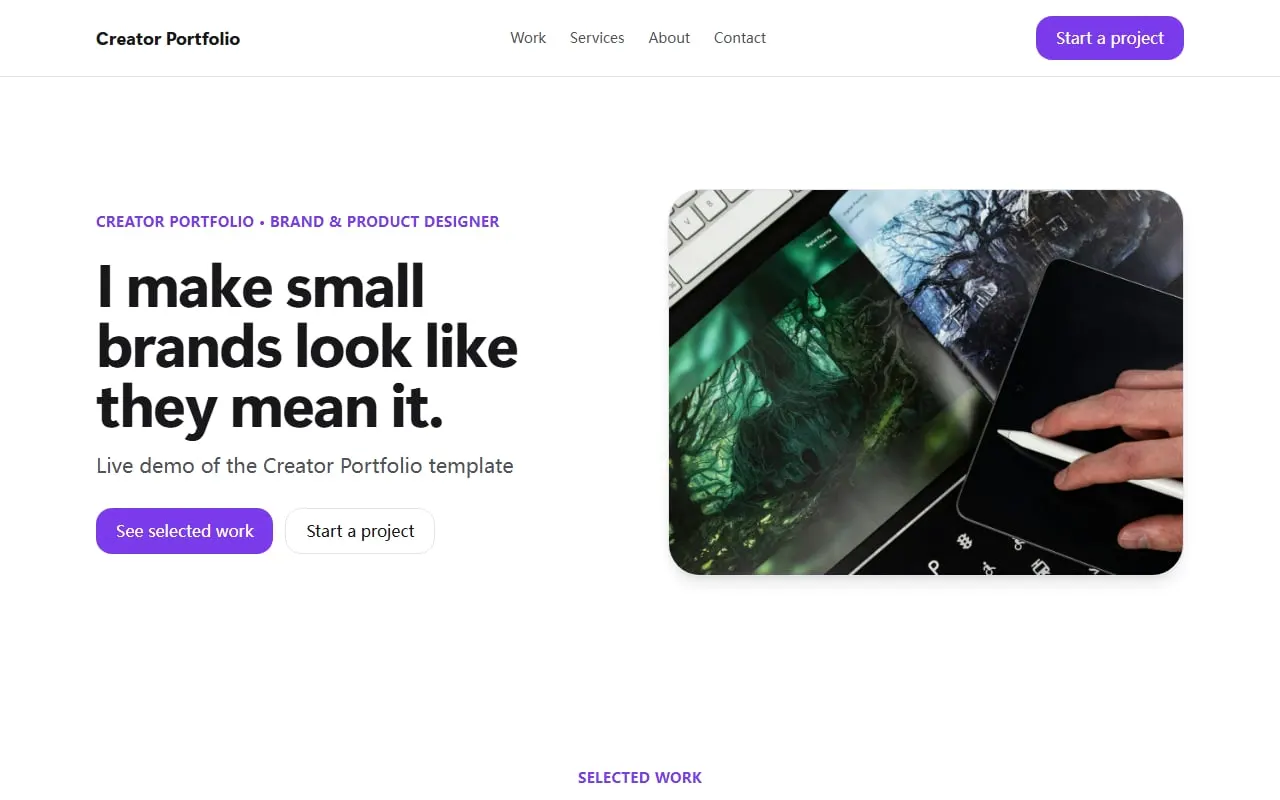
The first line on the page — before any image — should say what you do and for whom. Not “Designer. Dreamer. Coffee enthusiast.” but “Brand identity for food and drink start-ups” or “Wedding photography in the Lake District”. Specific beats clever every time, because a client scanning ten portfolios is looking for the one that’s obviously for them.
Show six to twelve projects, in the order you want to be hired for
Curation is the whole job here. Pick your strongest and most recent work, weighted towards the kind of projects you want more of. If you’re trying to move from logo work into full brand systems, lead with the brand systems even if the logos got more likes.
For each project:
- One hero image, big.
- Two or three supporting images.
- Three sentences: the client, the brief, what you did. Not a case-study essay.
- The result if you have a number: “Bookings up 40% in the first quarter.”
Twelve is the upper limit. If you have more, keep an archive page and link to it quietly.
List services and starting prices
This is the part freelancers resist, and it’s the part that saves the most time. A services block that says “Brand identity — from £2,400” means every enquiry you receive already knows the ballpark. You lose the people who’d have wasted your time asking for a logo for £150; you keep everyone else, and they arrive better prepared.
If your work is genuinely always custom-quoted, list the services without prices but with a typical timeline instead (“4–6 weeks”).
Add proof, briefly
Two or three client quotes with a real name and company do more than twenty anonymous ones. If you’ve worked with recognisable names, a small row of logos works too. Keep it under the fold — proof supports the decision, it doesn’t make it.
Make the contact form ask the right questions
Don’t put a bare “Name, Email, Message” form at the bottom. Ask for what you need to reply usefully:
- What kind of project is this?
- Roughly when do you need it?
- What’s your budget range? (Give ranges as options — people will pick one when they wouldn’t type a number.)
A form like this halves your back-and-forth and signals that you run a professional operation. The submissions should land in your inbox within seconds; if you’re checking a dashboard once a week you’re losing work.
Things to skip
- A skills bar chart. “Photoshop 90%” tells a client nothing.
- An “under construction” section. Publish what’s finished; add the rest later.
- A blog you’ll abandon. If you want to share notes or news, use a short “updates” list you can add to in a sentence.
- Auto-playing video or heavy animation. Your work should load instantly on a phone in a café.
Building it
You have three realistic options.
Design and code it yourself. Great if you’re a web designer and this is your portfolio piece. For everyone else it’s a month of evenings that you’ll never quite finish.
A general site builder. Squarespace and similar tools produce good-looking portfolios, but you’ll spend a couple of evenings on layout and pay for the plan that removes their badge. Every later change is a trip back into the editor.
An AI website builder with a portfolio template. The fastest path to a finished, hosted site:
- Open the portfolio website template — or the photographer’s version if you shoot rather than design. Both already have a selected-work grid, services with starting prices, client quotes and a project-brief form.
- Click Use this template and describe your practice in a paragraph. Paste your existing bio if you have one.
- Swap in your images and adjust the project descriptions. Click any text to edit it directly, or ask the assistant.
- Publish. Connect your own domain when you’re ready —
firstname-lastname.comis still the best portfolio URL there is.
Later, when you finish a project, add it with a sentence: “Add a new project called ‘Northwind Coffee rebrand’ at the top of the grid, with these three images.”
The one-week test
After you publish, wait a week, then look at the site on your phone as if you were a client with a budget. Do you know within ten seconds what this person does, who they do it for, roughly what it costs, and how to get in touch? If yes, the portfolio is doing its job. If not, fix the first screen — that’s where 80% of the difference lives.
Ready to build it? Start from the portfolio templates; the Free plan needs no card.